Selling sizes, colours and other options
This helps you sell one product in sizes, colours or more
4 minutes
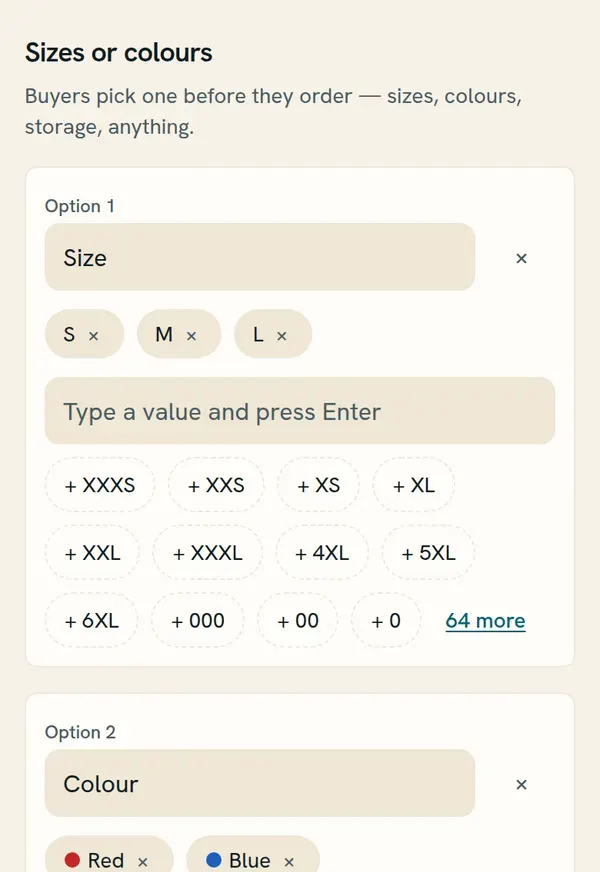
Size and Colour
Each mix is a combination
- In stock / Sold out: switch off a mix you don't have.
- How many: leave it empty and nothing is counted — only the switch decides.
- Price (KSh): empty means the product's price. Type one if this mix costs more.
- Photo: after the first save, give a mix its own photo.
- Change them all: one price for all, all in stock, or one value sold out everywhere.
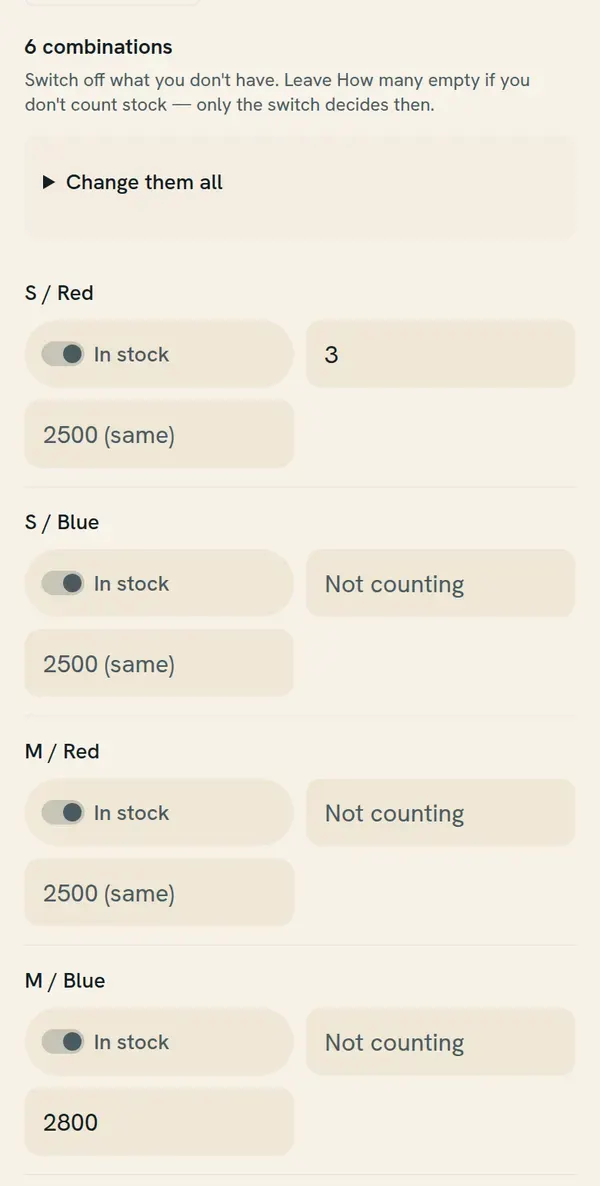
a count, a price 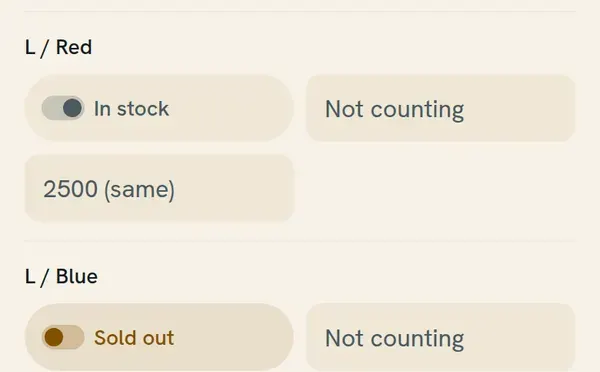
switched off
What buyers and your POS see
- On your shop: buyers tap a Size, then a Colour; a mix you can't sell is greyed.
- Its own price and photo show once every option is picked.
- Record sale: tap the mix; a counted one shows how many are left.
- At 0 it switches off on your shop by itself, and the POS tells you once.
You're done when your product page shows a row of choices for each option, and a sold-out mix is greyed.